Harvester UI · Reviewed
Saving an unchanged VM no longer asks for a restart
With the PCI Devices add-on on, opening Edit Config on a running VM and clicking Save without changing anything asked the user to restart the VM. The fix stops the form from adding an empty device list on its own, so an unchanged VM saves quietly.
What changes for the user
- Saving a VM without changes no longer shows the "Restart Virtual Machine" dialog. In our test today it showed 10 times out of 10 before the fix, and 0 out of 10 with it.
- Users no longer risk restarting a running VM, and its workload, for nothing.
- Adding or removing PCI and USB devices works as before, and still asks for a restart, which is correct there.
- The bug only showed when the user stayed a few seconds on the form, which is normal use. It has been in every release since September 2024.
- It also unblocks PR 1175, which skips the restart prompt for network-only changes.
The flow
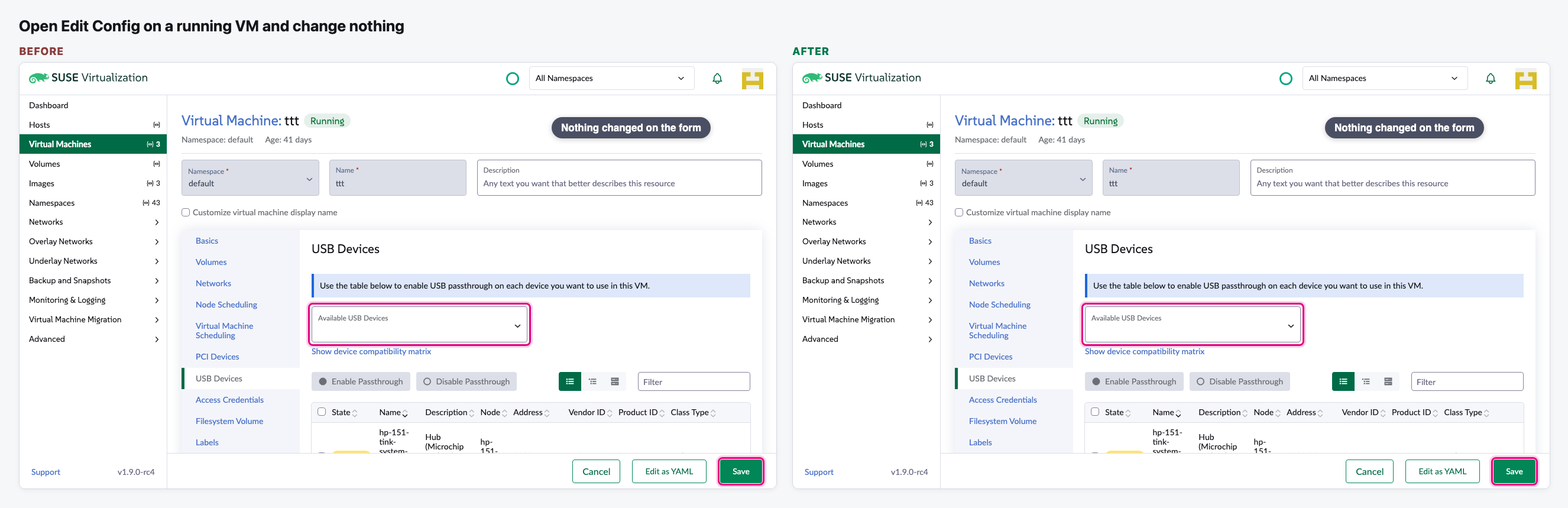
Open Edit Config and change nothing
We open a running VM that has no PCI or USB devices and stay about 8 seconds on the form, like a user reading it.
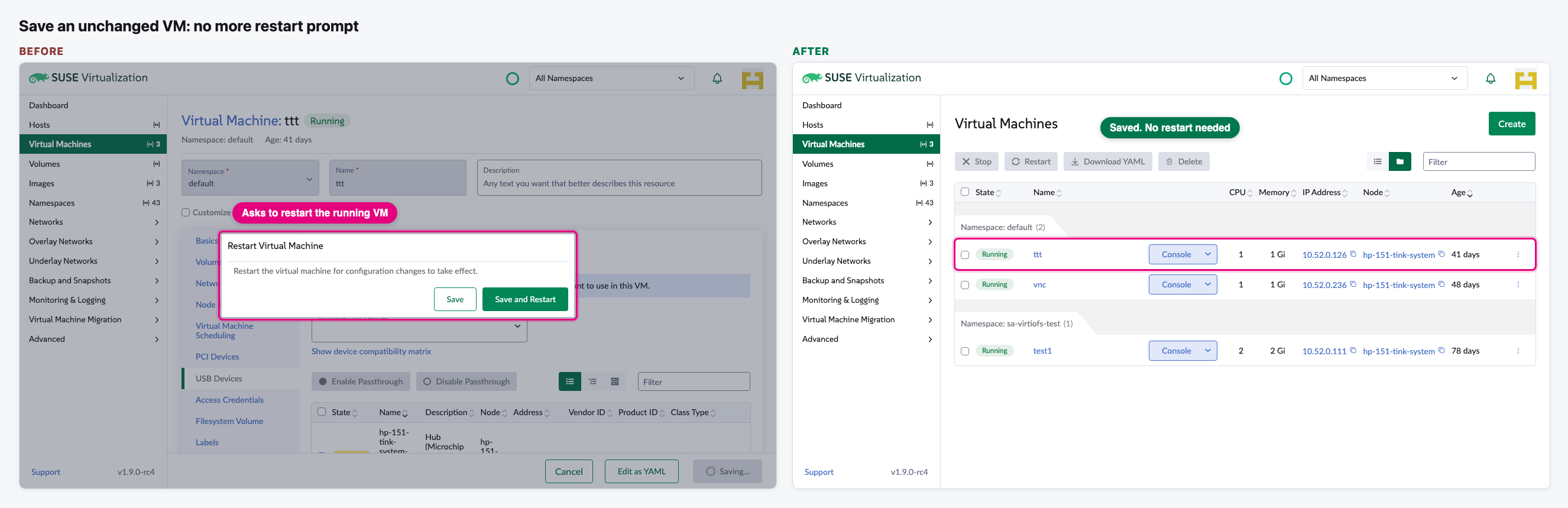
Click Save: no more restart prompt
Before, Save asked to restart the running VM. After, the VM is saved and we are back on the list.
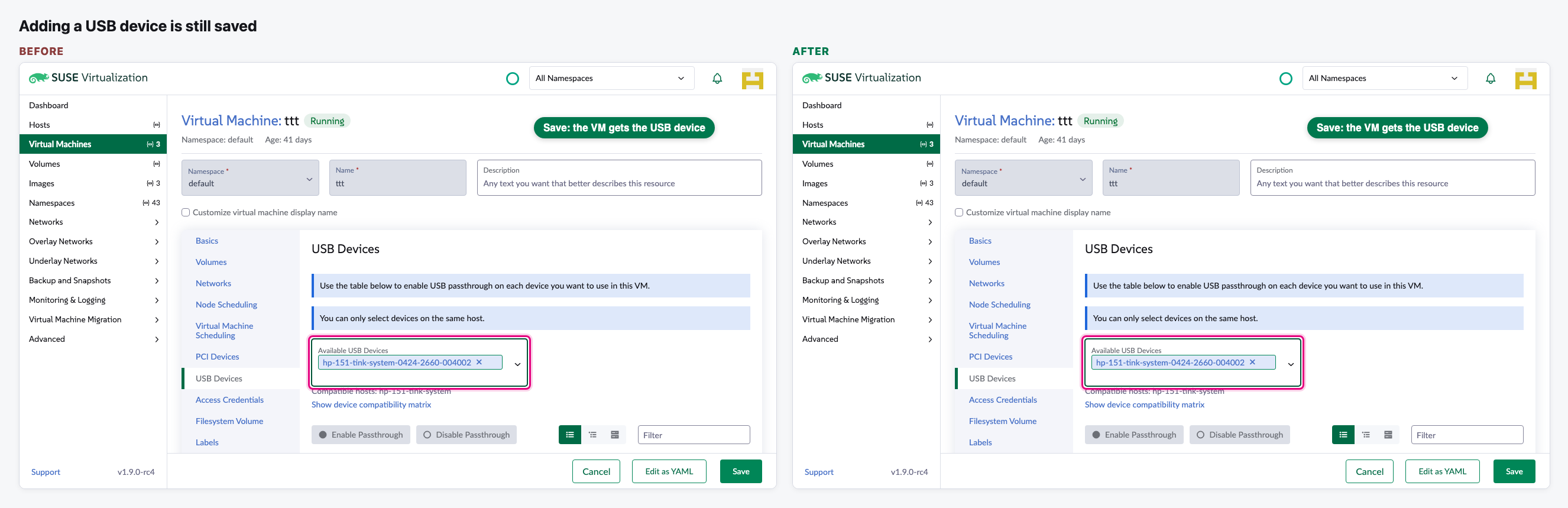
Adding a USB device is still saved
We pick a USB device and save. Both versions save it and ask for a restart, which is expected for new hardware.
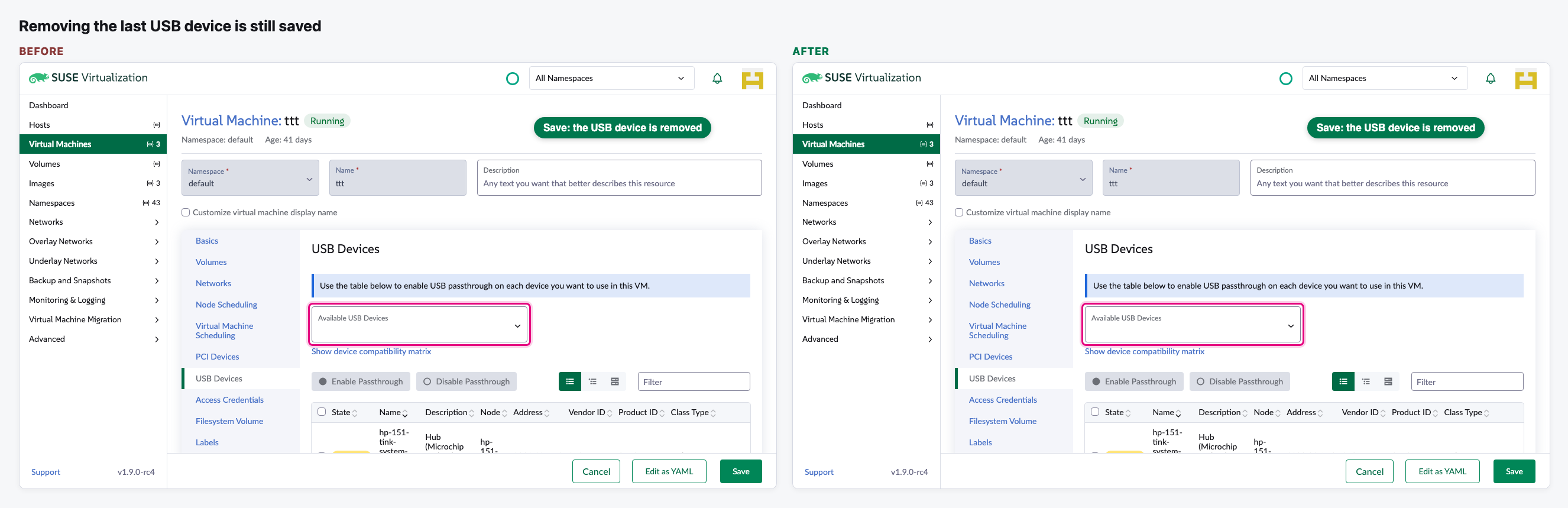
Removing the last USB device is still saved
On a VM that has one USB device, we remove it and save. Both versions save the removal.
Video (optional)
0:00 Before · 0:22 After · 0:49 Adding a device still works
Notes
- How we tested: the UI from current main and the same UI with the fix, both built and run from this laptop against our test Harvester. Every save was answered in the browser, so nothing on the cluster changed.
- Our test Harvester has the PCI Devices add-on on, but no USB device is enabled for passthrough. For steps 3 and 4 we showed one USB device as enabled in the browser only, and in step 4 we showed it as already attached to the VM.
- We asked for a Harvester issue and a backport in the review. Issue 12057 now exists, but it sits in the "Planning" backlog with no target release, and there is no backport yet.
- The PR is approved by us and still waits for a Harvester maintainer. PR 1175 should merge after it.